You can use API Keys to access or modify data through the mKC API, with a maximum of 5 API keys per user.
Creating API Key
Go to My Settings > API Keys tab and click the Create API Key button to create a new API Key. The API Key will be linked to the user who creates it, inheriting the user's roles and resource permissions.
- The expiration date of an issued API Key cannot be altered.
- API Key is a secret key issued per user and should be kept confidential. Do not share it with others or expose it in the client code.
- Note that when a user account is deleted or locked, all API Keys issued by that user will also be deleted.
- If [Infinitely use] is selected for the expiration date, the key will remain active unless the account is locked, expired, or deleted.
Viewing & Copying Secret Key
You can only view the issued API Key once. Make sure to copy and save this secret key somewhere safe and accessible.
How do I use an API key?
HTTP Request Header
curl --location "http://localhost:8989/v2/your-endpoint" \
--header 'Content-Type: application/json' \
--header 'X-API-KEY: yourapikey' \ // Issued API Key
-X GET
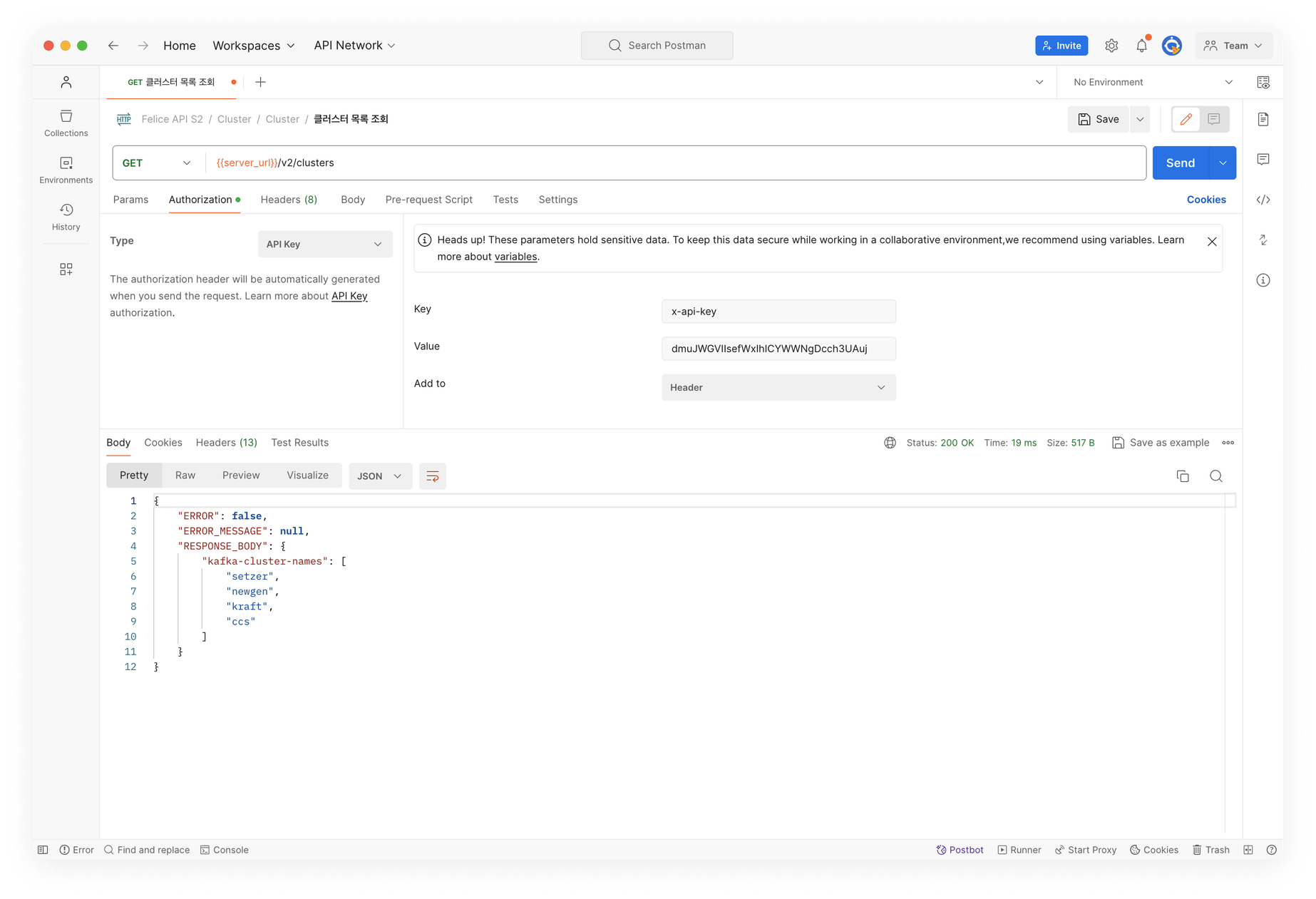
Postman
Set the Authorization Type to API Key, then add X-API-KEY to Key and enter the created API Key in Value.
Viewing Access Logs
At the bottom of the Keys list, you can view all the API requests made using the API Key issued by the current user. You can view up to 500 access logs regardless of the key used.
Admin Features
Manage issued keys at Admin Menu > API Key Management menu. Only the users with Admin roles can view and delete API Keys for all users, and view all Access Logs. You can also search the Access Logs of specific users.