When configuring a data mirroring job, if you want to override the access information for clusters registered in mKC with different security settings, or if security is enabled for an external cluster, you need to enter the security information.
Security Protocol
A security protocol is a set of rules or procedures for securing network communications. Kafka provides four types of security protocols that combine authentication and encryption methods.
- PLAINTEXT: A default communication protocol that applies neither authentication nor encryption. It is mainly used in closed networks where security is unnecessary. If security settings are not enabled, this protocol is specified.
- SASL_PLAINTEXT: A security protocol that applies authentication via SASL but does not apply encryption. It is mainly used in environments where only authentication is required.
- SASL_SSL: A security protocol that applies both SASL for authentication and SSL for encryption. It is mainly used in environments where sensitive data needs to be transmitted securely.
- SSL: A security protocol that applies encryption via SSL to help securely transmit sensitive data.
SASL Authentication Mechanisms
When selecting a security protocol that includes SASL, you must also choose an authentication mechanism. Kafka provides various authentication mechanisms to support SASL.
- SASL/PLAIN: Authenticates using a username and password. Since the credentials (username, password) are transmitted in plaintext, this method is relatively vulnerable to security risks.
- SASL/SCRAM-SHA-256: Authenticates using a username and password. The password is hashed and stored using the SHA-256 method. Since credentials are stored in Zookeeper, users can be directly managed via Kafka-configs script or mKC.
- SASL/SCRAM-SHA-512: The same as SASL/SHA-256 but uses the SCRAM-SHA-512 method for hashing.
- SASL/OAUTHBEARER: Authenticates using a security token issued by an authentication server based on the OAuth2 protocol. Due to Kafka's limited functionality for this method, it is recommended for non-production clusters only.
SSL Certificates
Certificates are electronic documents used for SSL communication, providing verification for Kafka and client communications by a third party.
TrustStore
When a certificate is received from a Kafka broker, you need a certificate from a Certificate Authority (CA) to verify if it is trustworthy. A Trust Store is a special file (.jks, .pkcs12, pem) that stores certificates from trusted authorities. Generally, the same file used to configure SSL in the Kafka broker is used here.
mKC supports specifying a Trust Store certificate file path stored in the volume or directly inputting PEM strings for SSL authentication.
KeyStore
A special file (.jks, .pkcs12, pem) that contains a certificate with a public key and a private key. It is password-protected for security and is used to transmit the client certificate to the Kafka broker in mutual authentication (mTLS).
Similar to the Trust Store, SSL authentication supports specifying the Key Store certificate file path stored in the volume or directly inputting PEM strings.
mTLS is an extension of the SSL (TLS) protocol that performs mutual authentication between client and server. While TLS verifies only the server's certificate to establish trust, mTLS verifies certificates on both the client and server sides to ensure that both parties are trusted entities.
SSL Authentication Methods
When selecting a security protocol that includes SSL, you need to provide information about the Trust Store. Additionally, if mTLS is used, you must also provide information about the Key Store, which stores the client’s certificate.
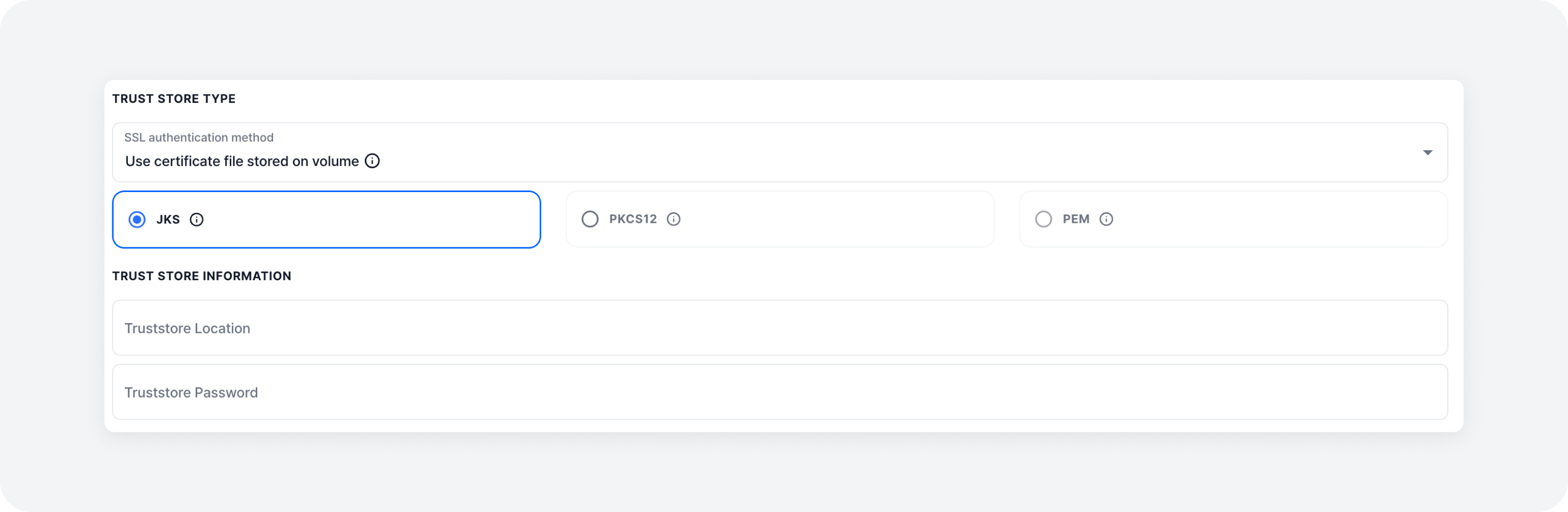
1. Specifying the Path of Certificate Files Stored in Volume (jks, pkcs12)
If a JKS or PKCS12 format certificate file is stored in the volume, specify the path to that file. Note that the certificate must be present in the same path on both the server where mKC is installed and the server where Kafka Connect is installed.
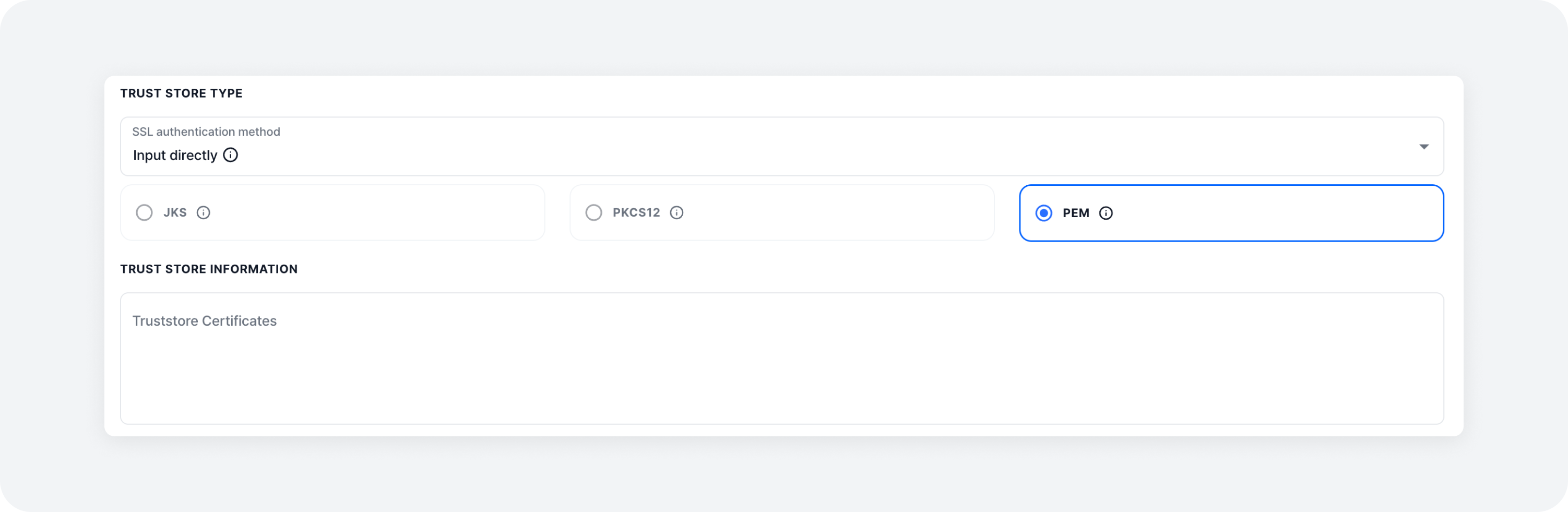
2. Direct Input (pem)
You can directly input the access key and certificate content as a PEM-type string.
SSL Endpoint Identification Algorithm
This is the method of verifying the server’s hostname in SSL/TLS communication. It uses the server’s certificate to check if the server can be trusted, thereby helping prevent man-in-the-middle attacks.
Available Options
- HTTPS: Typically, Kafka sets this option to HTTPS to verify that the hostname on the server certificate matches the hostname the client is trying to connect to.
- None: Disables hostname verification. It is useful when using self-signed certificates in development or test environments, but it is recommended not to use this setting in production due to security risks.