On the detail page, you can see detailed information about the status and metrics of each data-mirroring job.
Mirroring Job Overview
At the top of the page, you can see a summary of the mirroring job.
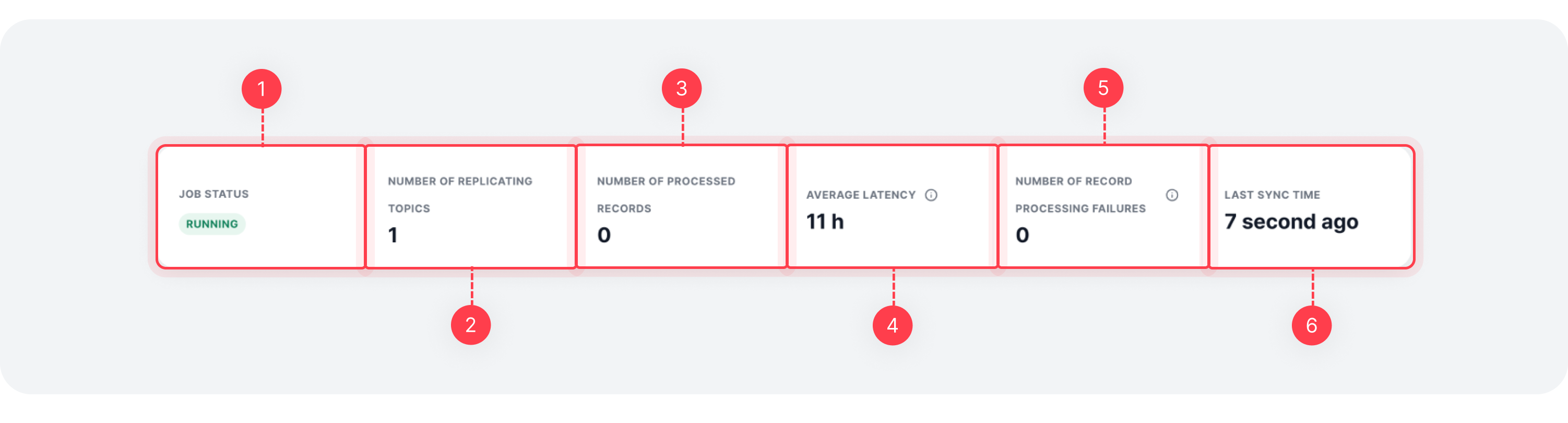
| Item | Description |
|---|---|
| Job Status | Status of the mirroring job |
| Topics Replicated | Number of topics being replicated |
| Records Processed | Number of records processed by the mirroring job |
| Average Latency | Average latency incurred during message replication |
| Records Failed | Number of record processing failures in the last hour |
| Last Sync Time | Last time the mirroring job information was synced |
Status Tab
This tab shows detailed status information about the mirroring job, such as components and topic status.
Job Components
You can view all connectors that make up the mirroring job. For more details, refer to the Data Mirroring Overview > Job Components document.
Expanding each component panel reveals task and worker details. For more information, see Kafka Connect > Tasks and Kafka Connect > Workers.

Add Component
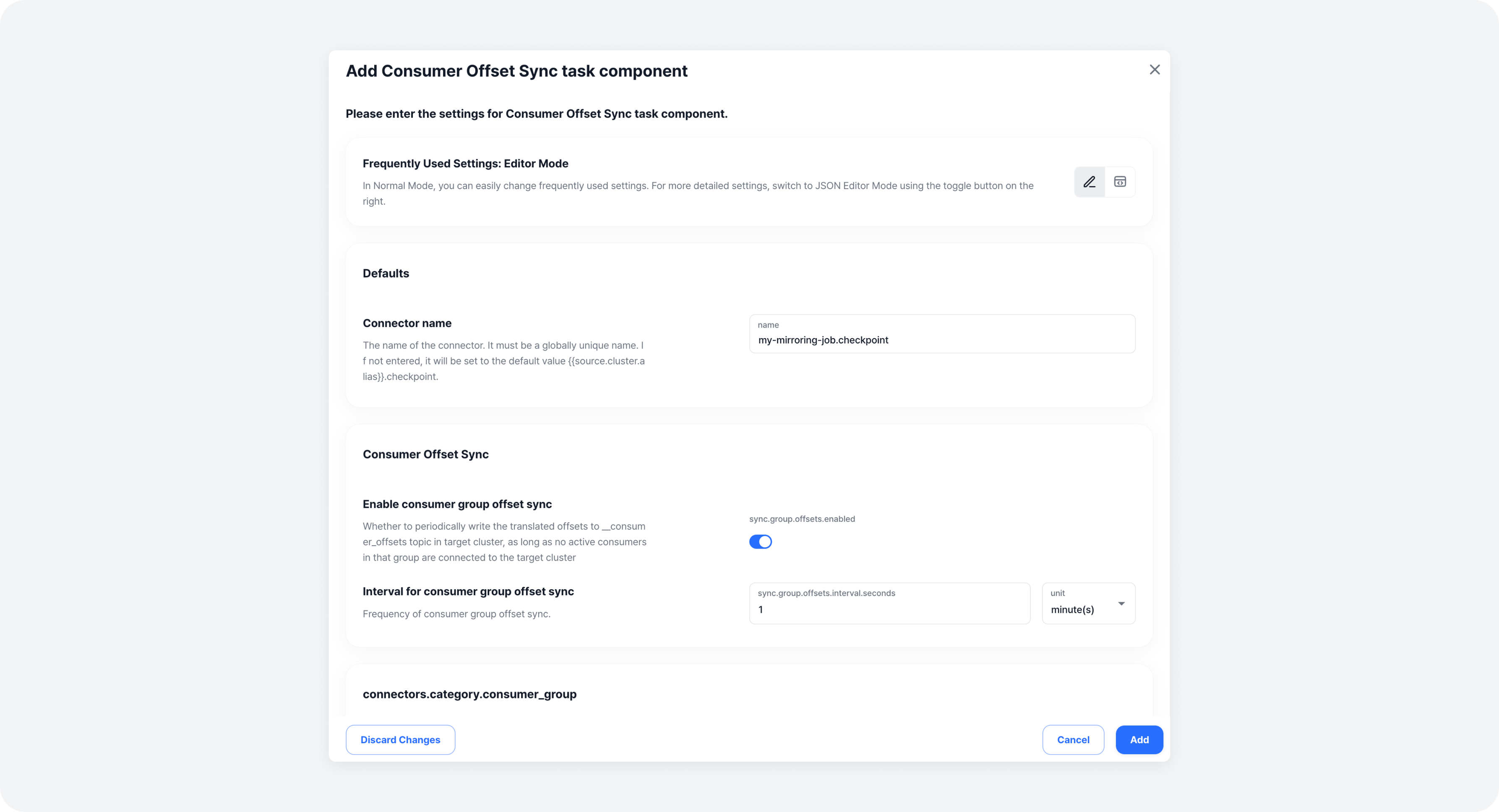
If the Consumer Offset Synchronization Connector is not configured in the mirroring job, you can add it. Note that the Data Replication Connector cannot be added or removed.
Click the Add Consumer Offset Sync Job Configuration button to open the modal.

Enter the desired settings and click the [Add] button to complete adding the component.
Change Component Status
You can change the status of components. The available statuses are:
- Resume (Running): Resume the task of a component that is stopped or paused.
- Stop Instance: Forcefully stop the connector instance.
- Pause: Temporarily pause the task of a running component (the instance remains running).
Click the [Change Status] button to open the modal.

Select the desired status button to complete the status change.

Delete Component
If the Consumer Offset Synchronization Connector is configured, you can delete it. The Data Replication Connector cannot be deleted.
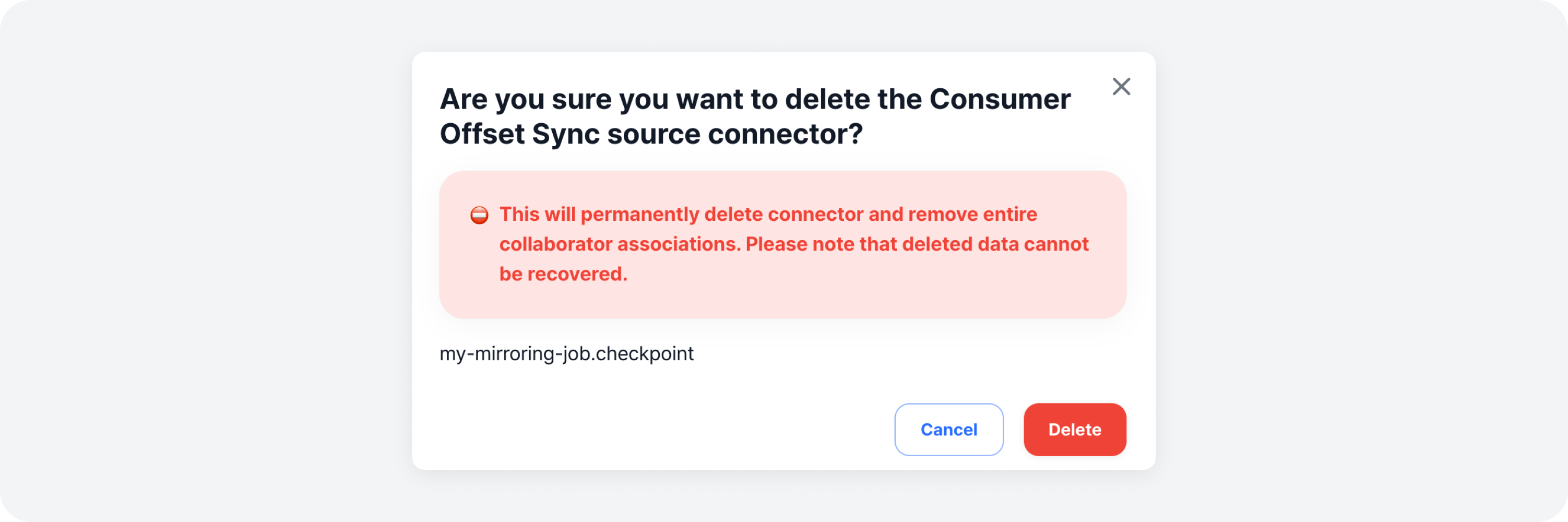
Click the [Trash Bin] button on the right side of the Consumer Offset Synchronization Connector component row to open the modal.

Review the warning and the name of the component to delete, then click the [Delete] button to complete the deletion.
Topic Replication Status
This shows a list of topics currently being replicated. Each topic name pair (source and target) is displayed, and clicking a topic name redirects you to its detail page.

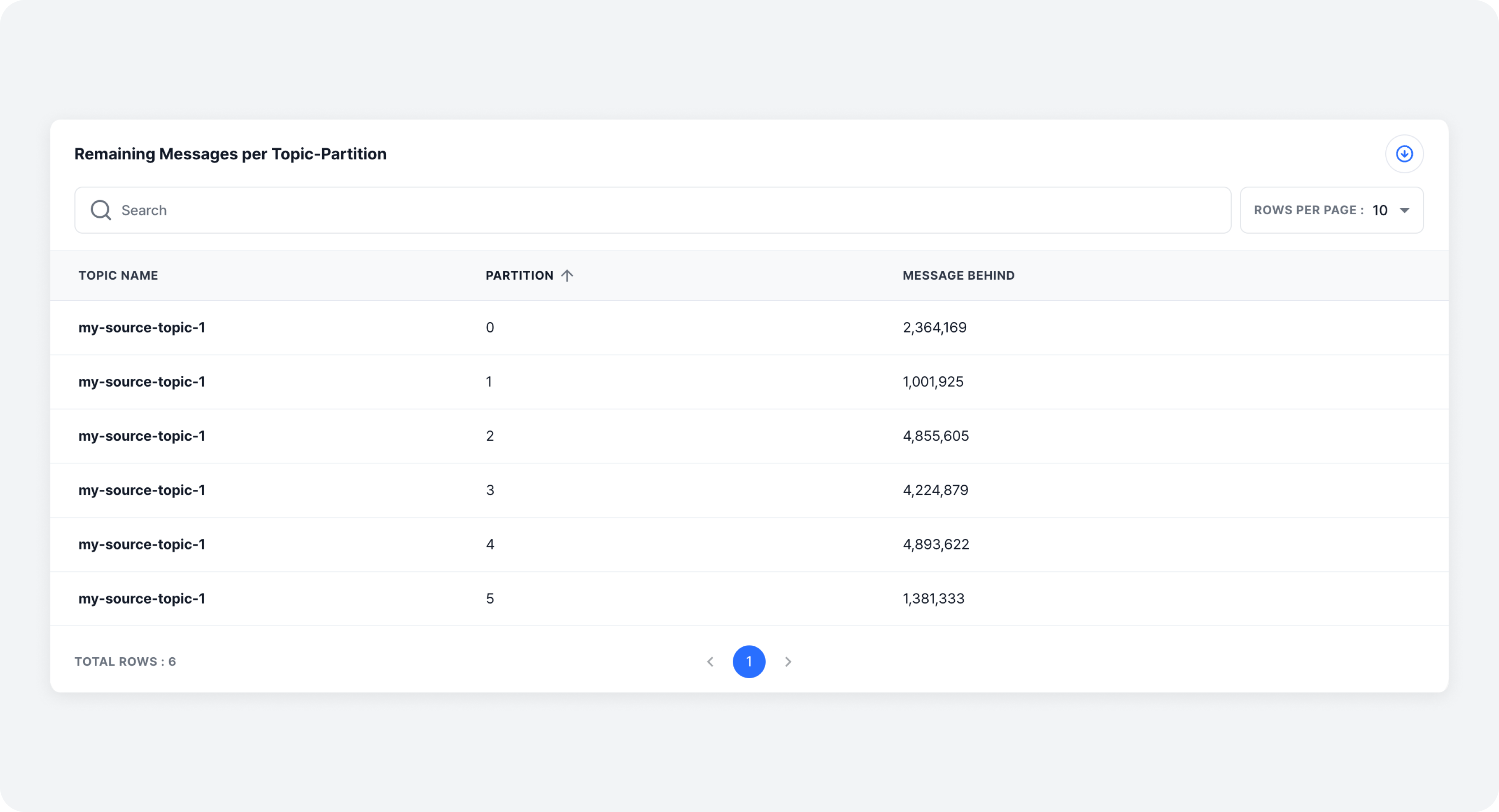
Remaining Messages per Topic-Partition
This shows a list of partition lags per topic-partition.
Metrics Tab
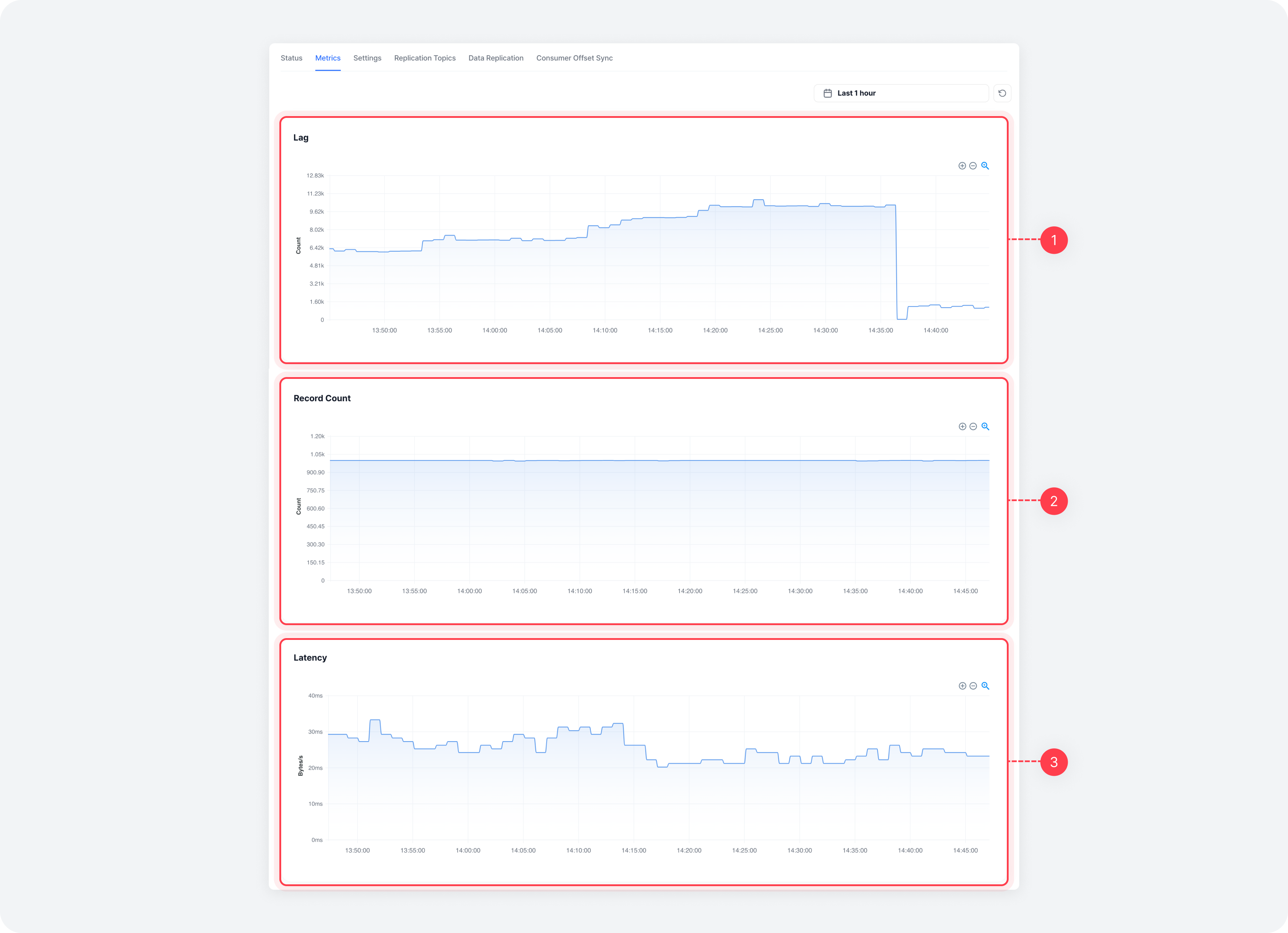
| Item | Description |
|---|---|
| ⓵ Remaining Messages | Remaining messages over time |
| ⓶ Records Processed | Number of records processed by the mirroring job |
| ⓷ Latency | Average latency during message replication |
Basic Settings Tab
You can view and edit basic mirroring job settings, cluster connection information, common settings, and Kafka Connect information.
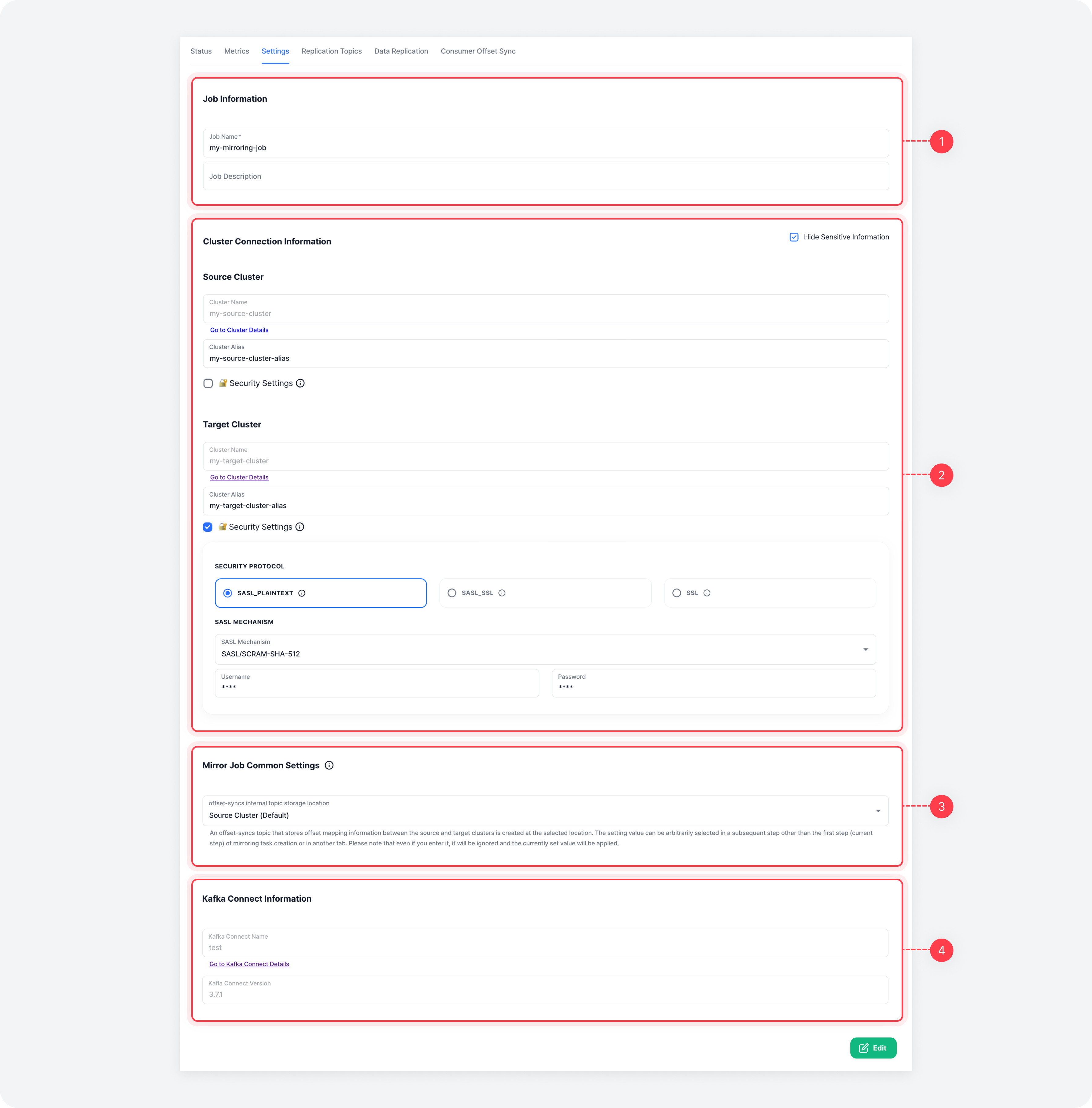
| Item | Description |
|---|---|
| ⓵ Basic Settings | Job name and description |
| ⓶ Cluster Connection Info | Source and target Kafka cluster connection information |
| ⓷ Common Settings | Common configurations (configs) for connectors in the mirroring job |
| ⓸ Kafka Connect Info | Information about the Kafka Connect where the job is running |
Replication Topic Settings Tab
View and edit topic-related settings, replicated topics, or regular expression patterns.
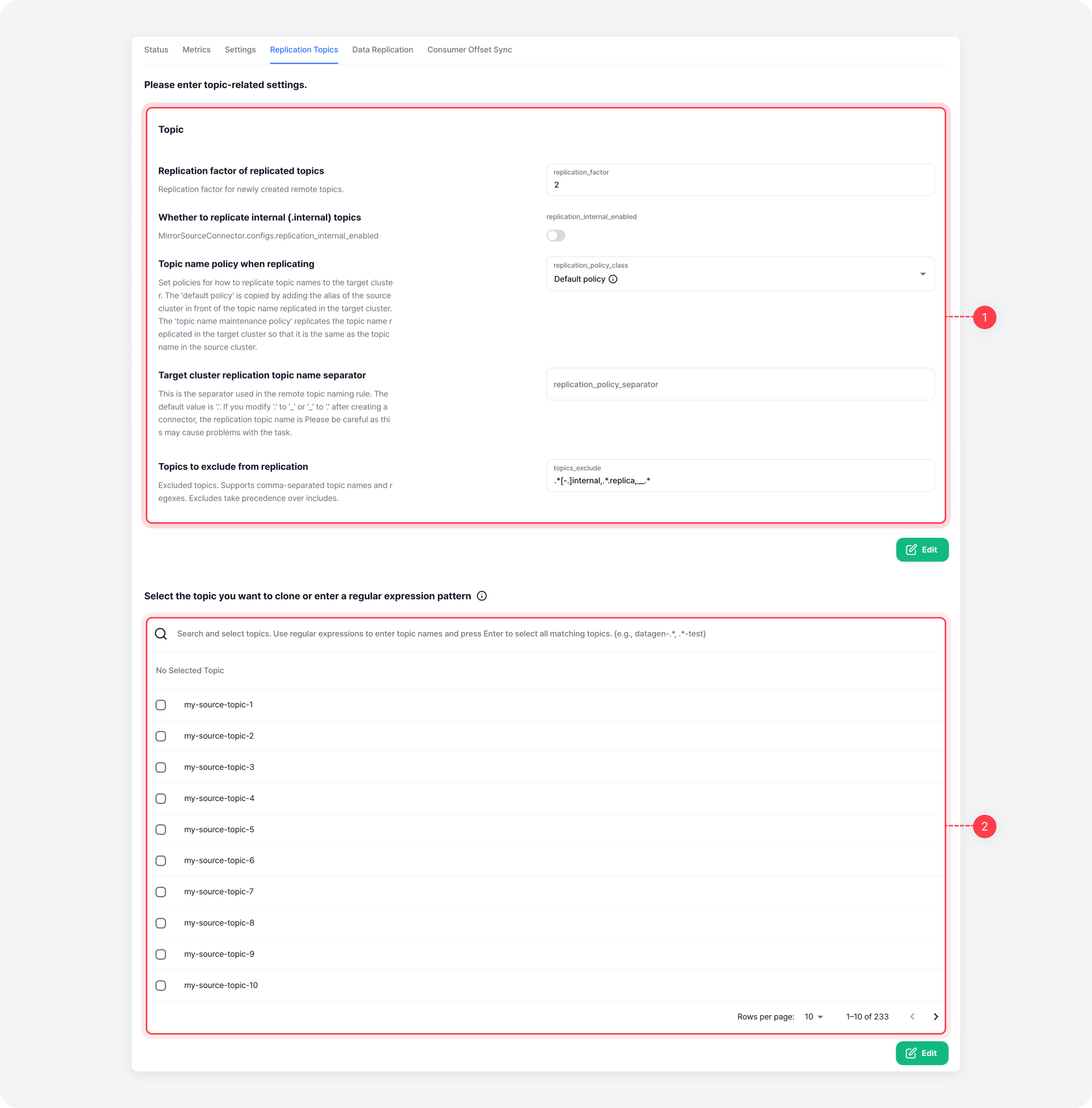
| Item | Description |
|---|---|
| ⓵ Topic Settings | Topic configurations for the mirroring job connector |
| ⓶ Replicated Topics | Select topics to replicate or input regular expressions |
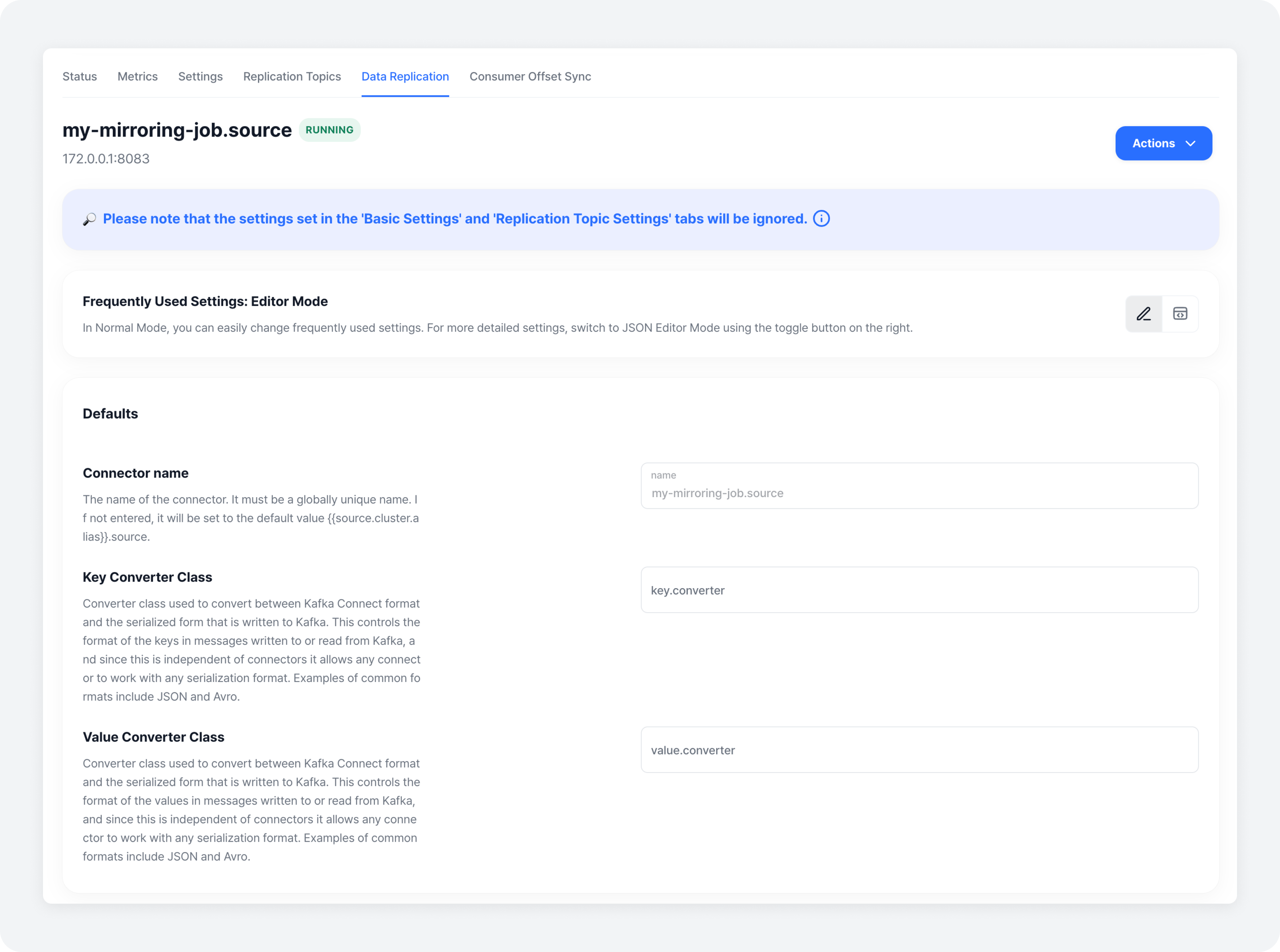
Data Replication Settings Tab
View and edit the settings for the Data Replication Connector.
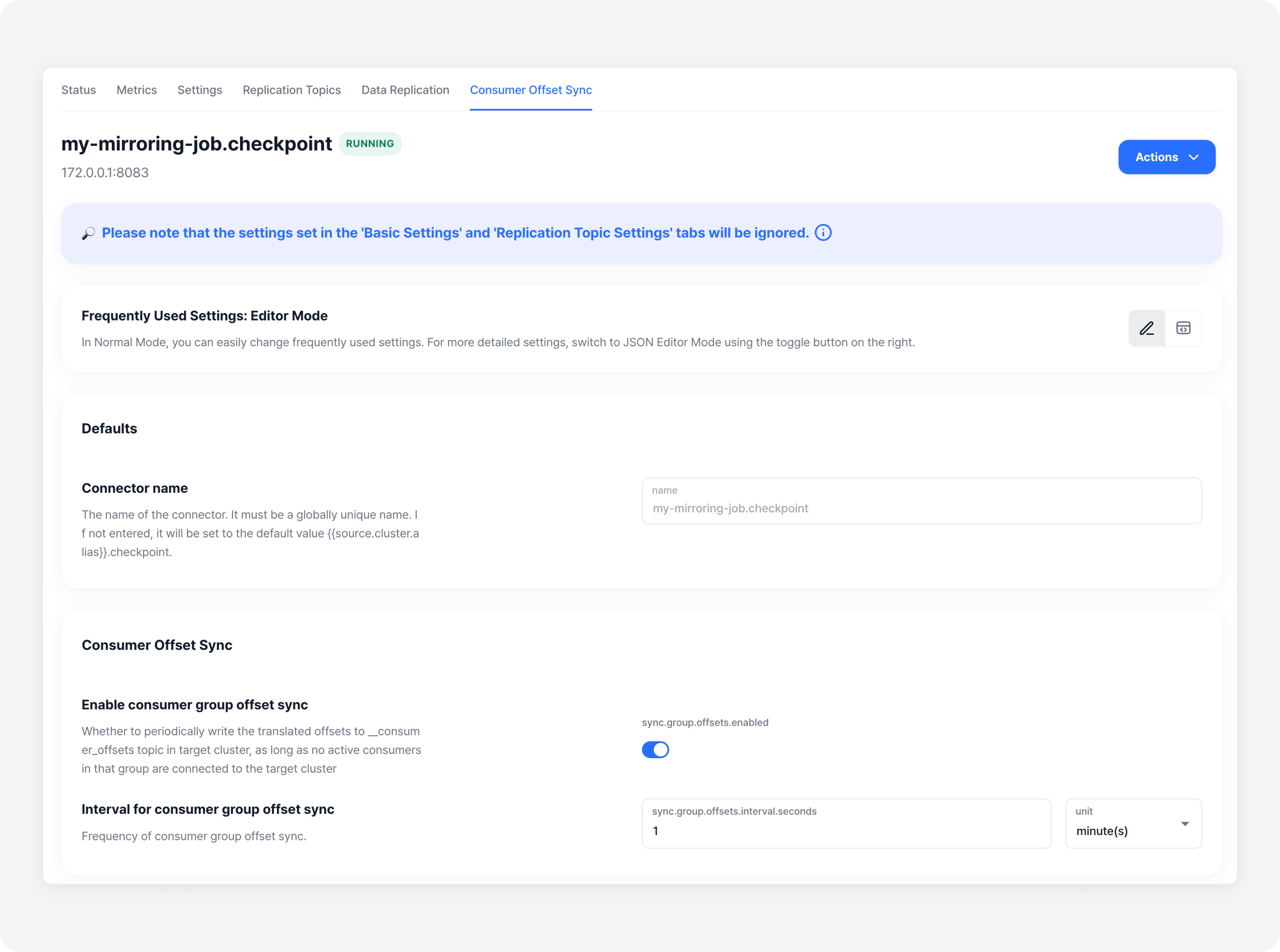
Consumer Offset Synchronization Settings Tab
This tab is displayed only if the mirroring job includes a Consumer Offset Synchronization Connector. You can view and edit its settings.
Change and Restart Data Mirroring Job Status
Change Job Status
You can pause a running job, stop all connector instances, or resume a stopped job.
Click the [Change Data Mirroring Job Status] button in the action menu on the right to open the modal.
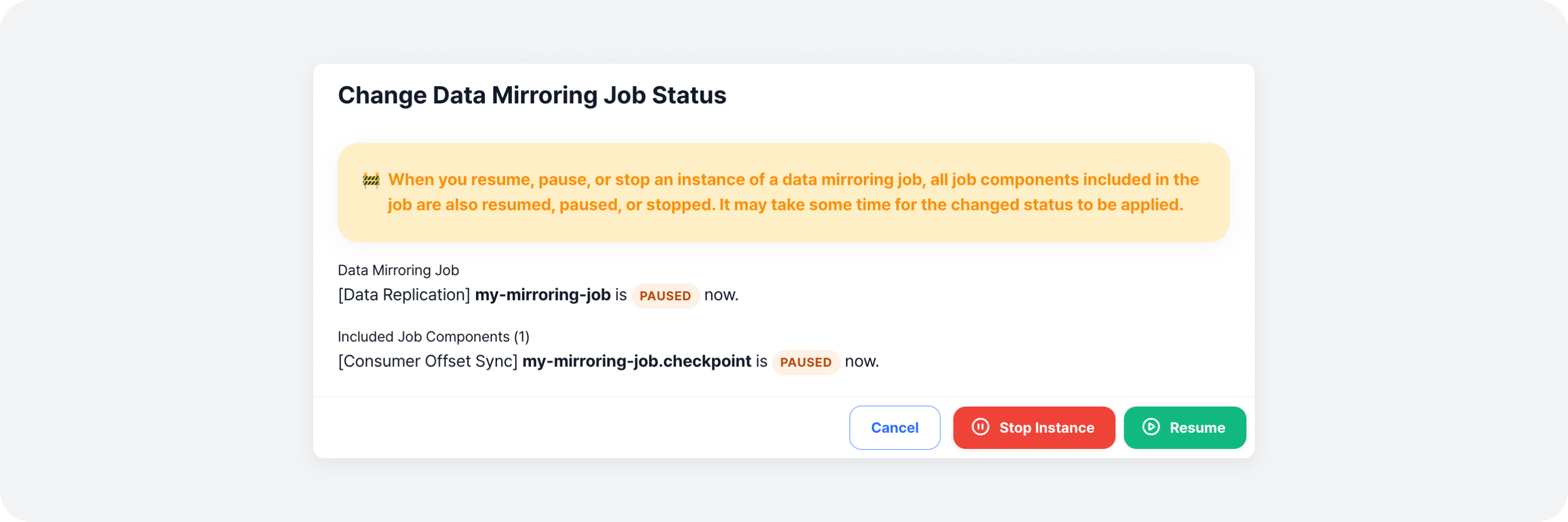
Review the warnings and the current status of each component, then click the desired [Change Status] button to complete the change.
Restart Job
You can restart all connectors in the job. Click the [Restart Job] button in the action menu on the right to open the modal.
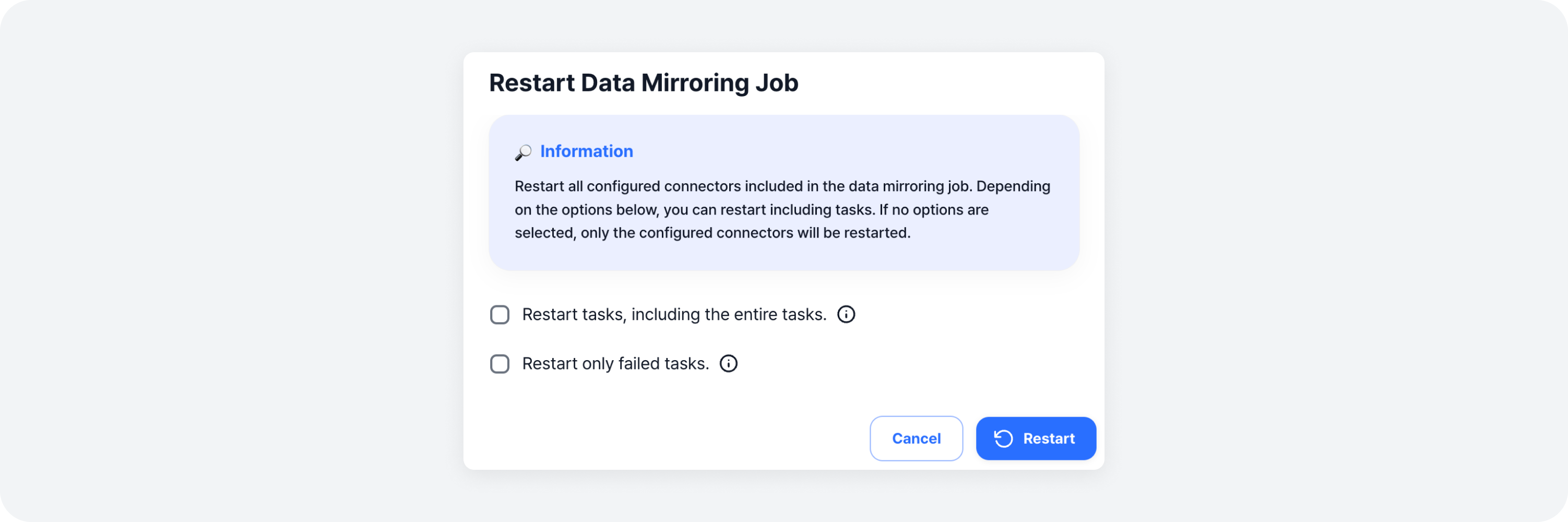
Choose your desired option (e.g., restart all tasks or failed tasks), then click the [Restart] button to complete the restart.
Adjust and Reset Offsets
If the job is in a stopped state, you can adjust or reset the partition offsets for the Data Replication Connector. Note that the menu will not be enabled if the job is not stopped.
Adjust Offsets
Click the [Adjust Offsets] button in the action menu on the right to open the modal.
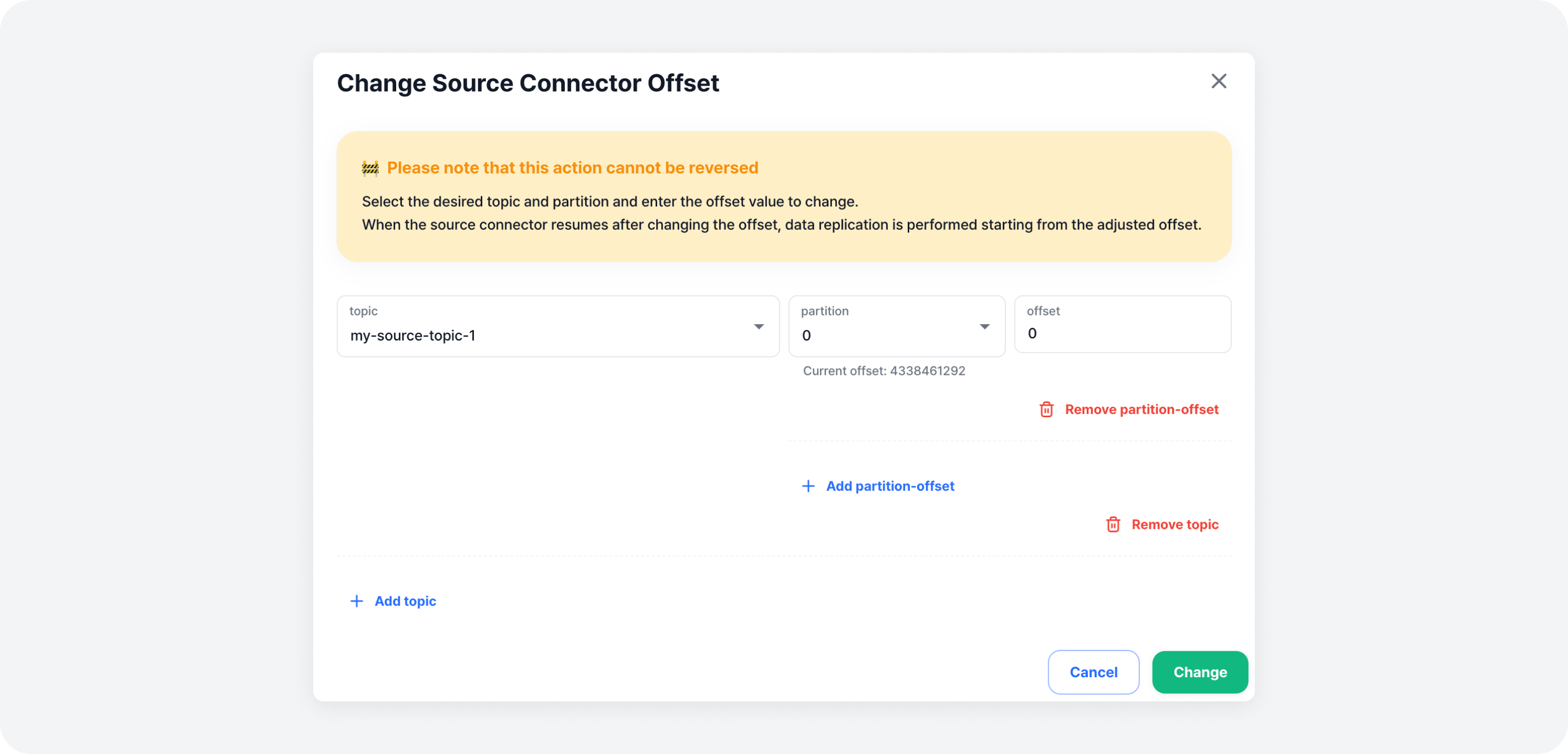
Select the topic and partition for which you want to adjust the offsets, then enter the new offset value. You can freely add or remove topics/partitions.
Once finished, click the [Adjust] button to complete the adjustment.
Reset Offsets
Click the [Reset Offsets] button in the action menu on the right to open the modal.
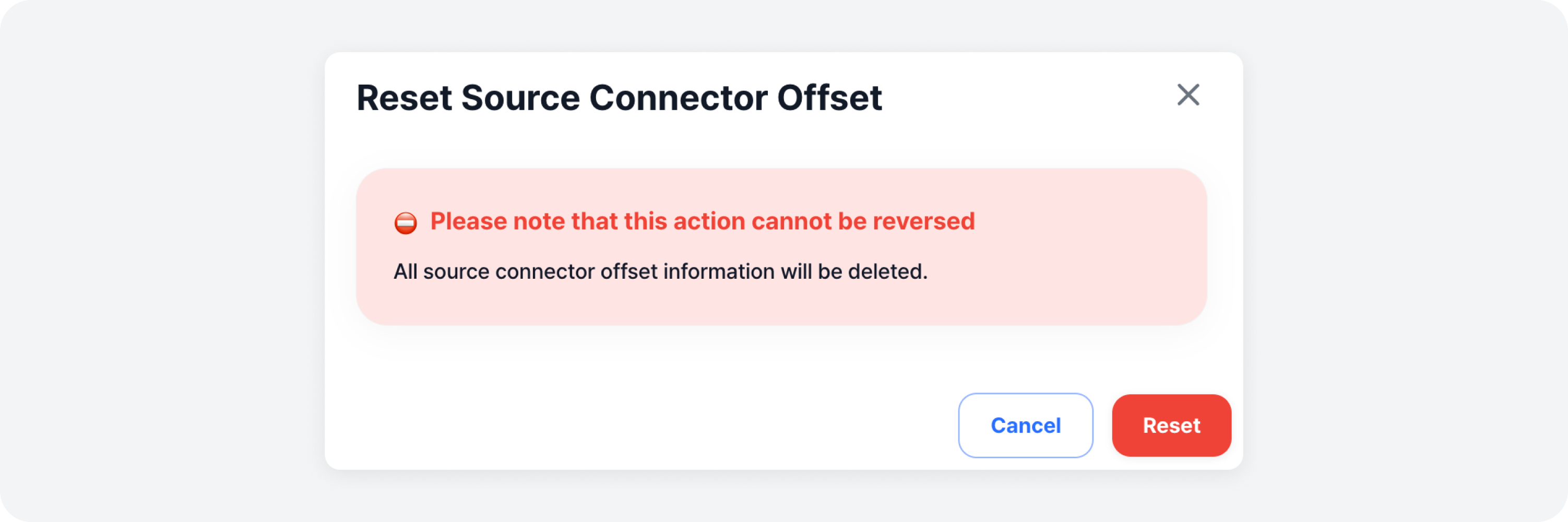
Review the warning, then click the [Reset] button to complete the reset.
Delete Data Mirroring Job
You can delete a data mirroring job that is no longer in use. Click the [Delete] button in the action menu on the right to open the deletion modal.
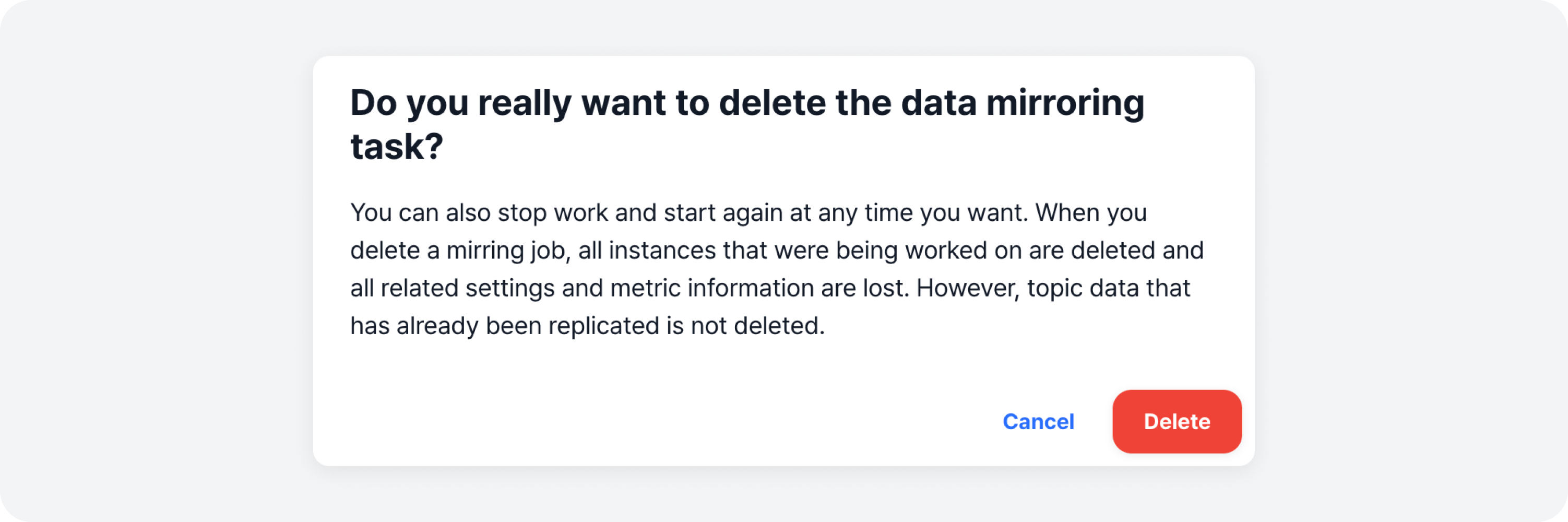
Review the warning, then click the [Delete] button to complete the deletion.